How to Organize your Desk/Workspace
A website by Jake Colley
Template by HTML5 UP
A website by Jake Colley
Template by HTML5 UP
Whether you're juggling several work files or homework pages, it's vital to have a clean working space with quick access to everything important. Having an organized desk and file system is tantamount to completing assignments on time and with minimal distractions, giving you more free time to do the things you like. On this website, I'll guide you through three steps on how to start and keep your workspace clean and organized. After following these basic guidelines and continuing with said good habits, you'll have a workspace that not only boosts your efficiency but also is pleasant to work in.
Please utilize the top buttons to access the different parts of this website. Part 1 consists of cleaning: Removing dust, unnessecary items, cleaning monitors, and more. Part 2 consists of sorting: File management, quick access to utilities, and cable management. Part 3 is primarily optional, but still a fun step that provides a significant amount of satisfaction. Part 3 consists of decorating: adding flourish, plants, and pictures or posters. Once you've read all 3 parts and started putting them into practice, you'll find yourself in a workspace that you can be proud of. Ideally, also one that you will enjoy working in more - but, even if you don't, you'll finish your work quicker and be able to get back to the things you enjoy sooner.


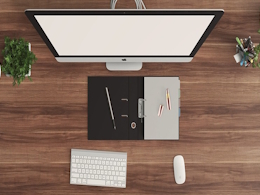
The first pivotal step in having a workspace you can be proud of and productive in is making sure it is clean. First things first: de-dusting. I don't know about you, but my house and workspace gets dusty incredibly fast. I strongly recommend purchasing a handheld dust collector such as a swiffer wipe, and de-dusting every surface in your workspace/entire room once a month. I personally have made it a habit to de-dust everything on the last day of every month. At the same time as de-dusting, I recommend cleaning your computer monitor(s) as well. I can't count how many times I'll see a perfectly fine workspace accompanied by a monitor so smudged it looks like an oil painting. The video below will guide you through cleaning your monitor safely.
After de-dusting and following the above video to clean your monitor, you can start a base level of sorting clutter. If you have a significant amount of loose files, miscellaneous gifts, fidget objects or even collectibles it's important to remove them all for the time being, and then deciding on what is truly necessary. Loose files will be tackled in the Sorting section - as for clutter, much of it can surely be used in the decorating section, but if you've let your workspace build up with a lot of random junk it's best to remove it entirely unless you have a specific aesthetic in mind. It does come down to a matter of opinion, but I believe a minimalist take on deskspace is much better than a desk with many trinkets. It doesn't mean you have to remove these things forever - I have a space next to my desk on a little table for such things, or a shelf placed elsewhere in the room. The desk itself, however, should be kept clean.
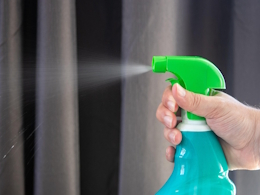

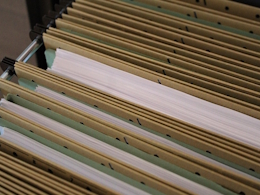
Now that you've decluttered and cleaned your workspace, up next is sorting the things essential to you. Any loose files you may have had should be relegated to a stringent sorting system of your own design. I can't give you a one-size-fits-all solution, as it pertains to the content and purpose of the files. However, your priority #1 from this point onward should be creating a system - ideally in a filing cabinet - to store and retrieve all your files at a moments notice. It's also important to remove old files no longer in use every once and a while. You can either shred them, or create an archival system as well.
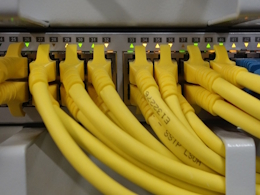
Having sorted your files, there's now a couple of other less important things to tend to. For one, if you write a lot, easy access to a pen/pencil and writing paper is very important. I personally have a little table next to my main desk that holds my pens, pencils, note cards, and writing paper. This table also holds my wallet, airpods, and charging device for headphones. I strongly recommend an approach like this, as it leaves your main workstation clutter-free and clean, while still having quick access to utilities. If you don't use a computer at your workstation you can just place them tactfully on your main desk, however, this whole guide has assumed you use a computer. The final sorting hurdle to tackle has to do with said computer: cable management. This one is a little less necessary (unless you have a ton of cables), but it can help improve the aesthetic significantly. Depending on the type of desk you use, there are several solutions. For example, I've attached a tray to the bottom of my desk that holds an extension strip, in which I've plugged every device connected near me into. I also nailed a little net into the underside of the desk to route the cables through. As a rule of thumb, try to keep the cables touching the floor to a minimum.

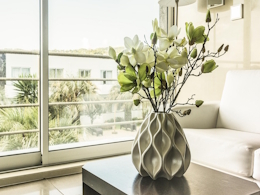
One byproduct of making your workspace dust-free, clutter-free, cable-free, and well sorted is that it is now utterly empty. It can be a dreary sight - after all: all work and no play makes Jack a dull boy. That being said, I stand by having an empty desk. Everything around said desk is free game, however. As seen in the picture above, I believe a plant (or several) of any kind can really bring a room together. I personally have a shelf right next to my desk that has a dangling plant on top of it, adding some much needed greenery.
Other vital decorations can be sentimental pictures, posters on nearby walls, or a shelf with whatever collectibles tickle your fancy. For example, the shelf next to my workstation also hosts an assortment of books, along with a lego set and many old computer parts I've picked up over the years. Anything goes for decorations sake: as long as it's not distracting you when you're focused on your work at the main desk. Ultimately though, this step is skippable - it's not nearly as important as sorting your files or hosting a clean environment. Once you've finished every step here, you can take a literal step back and admire your work. You should be gazing on a workspace that looks good-as-new! To congratulate yourself, click the button below! Enjoy your new-feeling workspace!